How to Compress a PDF Without Losing Quality
Mar 1, 2026

Compress large PDF files while keeping text and images readable. Learn how to reduce file size using Docsora.
Compress PDF online → app.docsora.com/services/compress
How to Compress a PDF Using Docsora
You can compress a PDF file in just a few steps using Docsora’s online compression tool.
Step 1 — Upload Your PDF
Visit the Docsora compression tool: app.docsora.com/services/compress
Upload the PDF file you want to compress by dragging and dropping the file into the upload area or selecting the upload button.
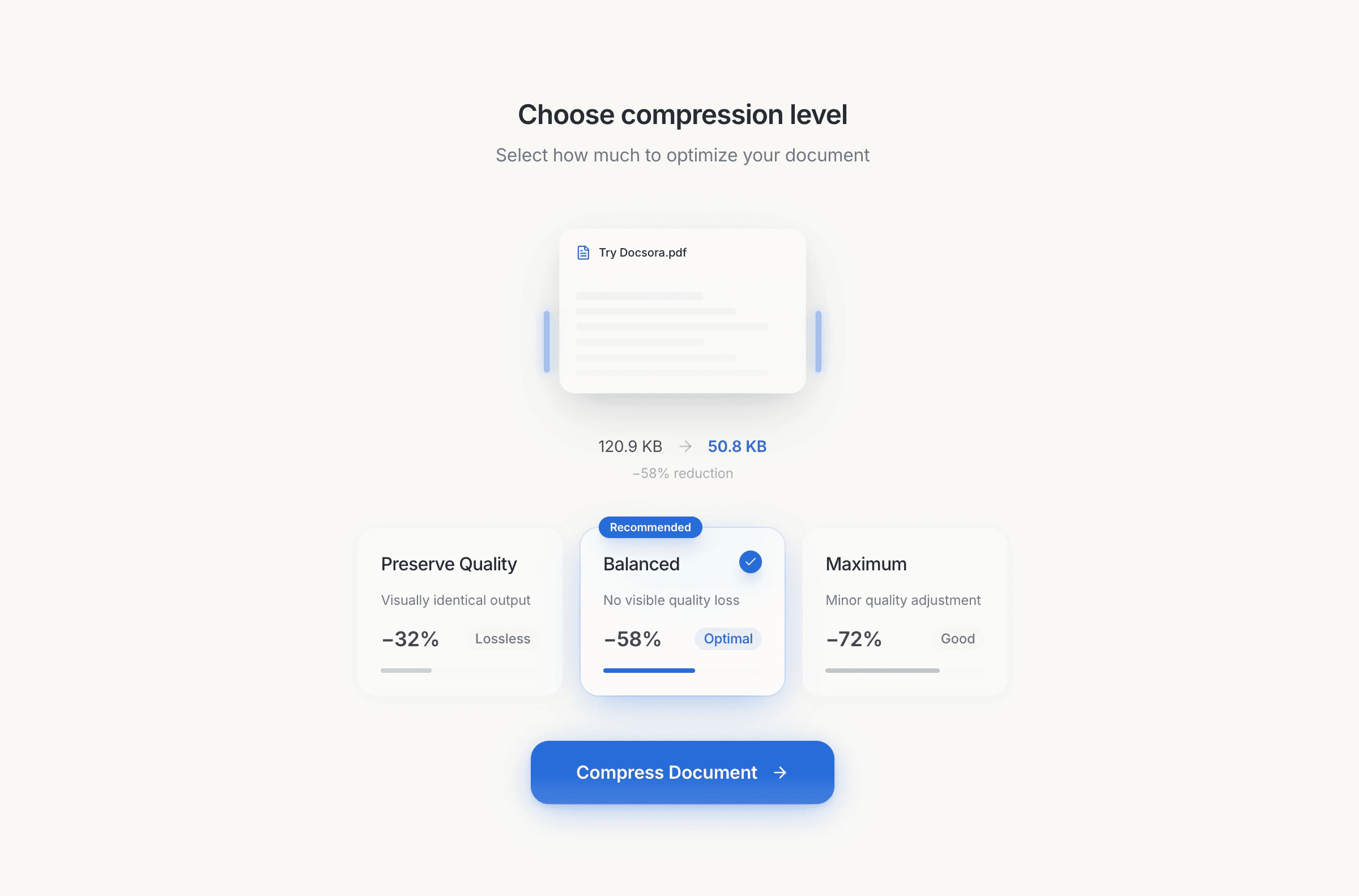
Step 2 — Choose a Compression Level
Docsora provides three compression options so you can control the balance between file size reduction and document quality.
Low Compression
Low compression reduces the file size slightly while maintaining maximum visual quality.
Best for:
• contracts
• official documents
• reports
• files with detailed images or graphics
Impact on quality: Images and text remain almost identical to the original document, but the file size reduction will be smaller compared to other compression levels.
Typical reduction: 20% - 30% file size decrease
Medium Compression
Medium compression provides a balanced reduction in file size and quality.
Best for:
• presentations
• general document sharing
• PDFs containing images and text
Impact on quality: Image resolution may be slightly reduced, but the document remains clear and readable for most purposes.
Typical reduction: 30%–60% file size decrease
High Compression
High compression prioritizes maximum file size reduction.
Best for:
• sending documents via email
• uploading files with strict size limits
• archiving documents
Impact on quality: Images may lose some detail and resolution, we use tools to ensure that the document structure is not impacted and the document remains readable.
Typical reduction: 60%–80% file size decrease
Step 3 - Download the Compressed File
Once compression is complete, you can download the optimized PDF file and share it with others.
The compressed file will take up less storage space and will be easier to send online.
Benefits of Compressing PDF Files
Reducing the size of PDF files provides several advantages:
Easier File Sharing: Smaller files can be sent more easily through email and messaging platforms.
Faster Uploads and Downloads: Compressed documents upload and download much faster, especially when sharing files online.
Reduced Storage Usage: Smaller files help reduce storage requirements when managing large numbers of documents.
Improved Workflow Efficiency: Teams can exchange documents quickly without worrying about attachment size limits.
When Should You Compress a PDF?
You may want to compress a PDF in situations such as:
• sending documents by email
• uploading files to websites or portals
• sharing files with colleagues or clients
• storing large document archives
Compression ensures files remain manageable without sacrificing usability.
Compress Your PDF Online
You can compress PDF files quickly and securely using Docsora.
Visit the compression tool: app.docsora.com/services/compress
What If Your File Is Still Too Large?
In some cases, even after compression, a PDF may still be too large to send through email or messaging platforms.
This often happens with documents that contain:
high-resolution images
large scanned files
presentations with graphics
multi-page reports
If reducing the file size further would significantly affect document quality, compressing the file may not be the best solution.
Instead, you can use a secure file transfer link. Docsora allows users to send large files directly through the platform without worrying about email attachment limits.
Using the transfer tool, you can upload your file and generate a secure link that can be shared with anyone.
Docsora currently supports transfers of up to 500GB, making it suitable for sharing large documents, media files, and project folders.
You can start transferring files here: app.docsora.com/services/transfer
Upload your file, generate a link, and share it with recipients instantly.
Use the compress feature now: app.docsora.com/services/compress