How to Translate a Document Online
Mar 16, 2026

Learn how to translate documents online while preserving formatting, layout, and structure using Docsora.
Translate document online → app.docsora.com/services/translate
How to Translate a Document Online Without Losing Formatting
Why Translate Documents?
Documents often need to be translated when working with international teams, clients, or partners.
Common documents that require translation include:
contracts
reports
presentations
research papers
technical documentation
Instead of manually translating text, document translation tools allow you to convert entire documents into another language quickly.
Common Problems When Translating Documents
When translating documents, many tools break the original formatting.
This can cause issues such as:
lost layout structure
broken tables
misplaced images
inconsistent fonts
Maintaining the original formatting is important when translating professional documents.
This guide will take you through a step by step process of how to translate a document to another language using Docsora.
How to Translate a Document Using Docsora
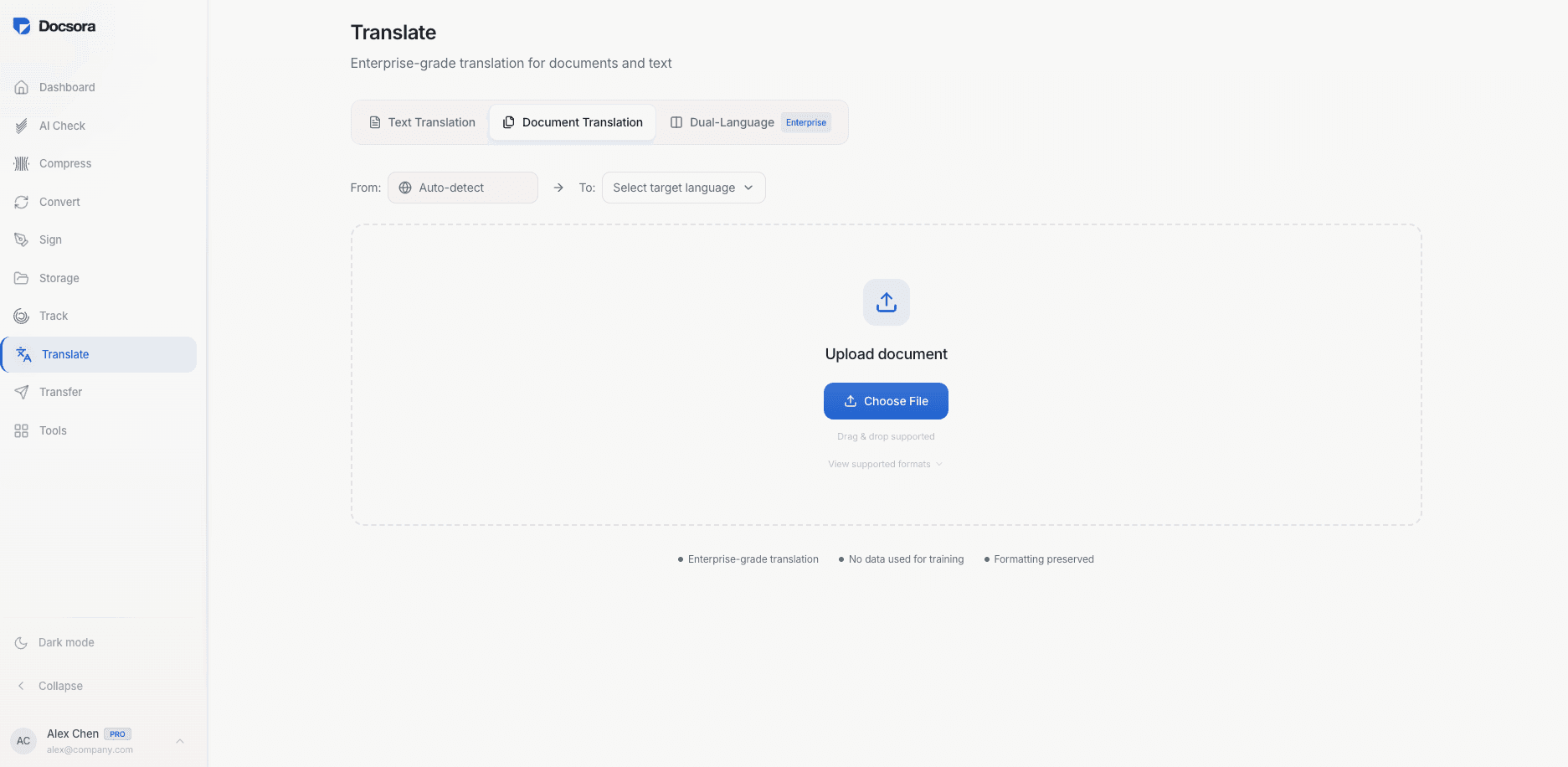
Step 1 - Open the Document Translation Tool
Visit the Docsora Translate service here: app.docsora.com/services/translate
Docsora allows you to translate documents while preserving the original structure.
Step 2 - Upload Your Document
Upload the file you want to translate or type text in the box provided.
Docsora supports several document types including:
Word documents
Text files
Step 3 - Select the Target Language
Choose the language you want the document translated into.
Docsora supports up to 75 different languages and will process the document and then translate the content automatically.
Step 4 - Download the Translated File
Once the translation is complete, download the translated document.
The file will maintain the original formatting and structure, making it ready to share or edit.
When Should You Translate a Document?
Document translation is useful when you need to:
work with international clients
translate contracts or agreements
localise reports or presentations
collaborate across different languages
Using a document translation tool helps save time and ensures consistency across translated files.
Translate Documents with Docsora
You can translate documents quickly while maintaining formatting using Docsora.
Upload your document, choose the language, and download the translated version in seconds.
Use the Docsora Translate service for free today: app.docsora.com/services/translate